零样本图像分类
零样本图像分类是一种任务,涉及使用未显式训练过特定类别标注数据的模型对图像进行分类。
在传统方式中,图像分类需要在一个特定的标注图像集上训练模型,该模型学习“映射”某些图像特征到标签。当需要使用这样的模型进行引入新标签的分类任务时,通常需要微调来“重新校准”模型。
相比之下,零样本或开放词汇图像分类模型通常是多模态模型,它们在大量图像及其相关描述的数据集上进行了训练。这些模型学习了对齐的视觉-语言表示,可以用于许多下游任务,包括零样本图像分类。
这是一种更灵活的图像分类方法,允许模型推广到新的和未见过的类别,而无需额外的训练数据,并且用户可以用自由形式的文本描述目标对象来查询图像。
在本指南中,你将学习如何:
- 创建一个零样本图像分类管道
- 手动运行零样本图像分类推理
在开始之前,请确保安装了所有必要的库:
In [ ]:
pip install -q "transformers[torch]" pillow
零样本图像分类管道
尝试支持零样本图像分类的模型推理的最简单方法是使用相应的pipeline()。从Hugging Face Hub上的检查点实例化一个管道:
In [ ]:
from transformers import pipeline

checkpoint = "openai/clip-vit-large-patch14"
detector = pipeline(model=checkpoint, task="zero-shot-image-classification")
接下来,选择一幅你想要分类的图像。
In [ ]:
from PIL import Image
import requests

url = "https://unsplash.com/photos/g8oS8-82DxI/download?ixid=MnwxMjA3fDB8MXx0b3BpY3x8SnBnNktpZGwtSGt8fHx8fDJ8fDE2NzgxMDYwODc&force=true&w=640"
image = Image.open(requests.get(url, stream=True).raw)

image
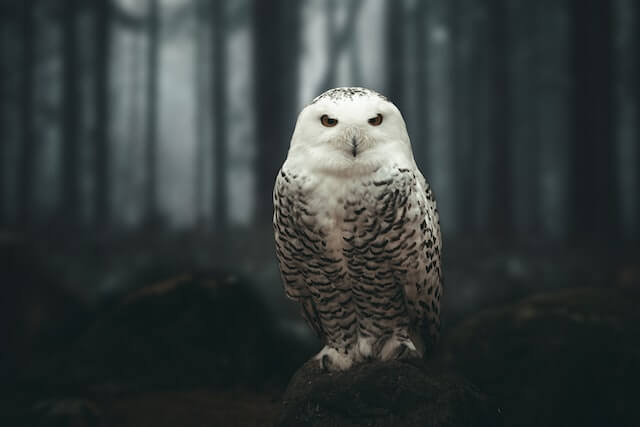
将图像和候选对象标签传递给管道。这里我们直接传递图像;其他合适的选项包括本地路径的图像或图像 URL。候选标签可以是简单的单词,如本例所示,也可以是更详细的描述。
In [ ]:
predictions = detector(image, candidate_labels=["fox", "bear", "seagull", "owl"])
predictions
手动进行零样本图像分类
现在你已经看到了如何使用零样本图像分类管道,让我们看看如何手动运行零样本图像分类。
首先从Hugging Face Hub上的检查点加载模型及相关处理器。这里我们将使用与前面相同的检查点:
In [ ]:
from transformers import AutoProcessor, AutoModelForZeroShotImageClassification

model = AutoModelForZeroShotImageClassification.from_pretrained(checkpoint)
processor = AutoProcessor.from_pretrained(checkpoint)
为了换换口味,我们使用一张不同的图像。
In [ ]:
from PIL import Image
import requests

url = "https://unsplash.com/photos/xBRQfR2bqNI/download?ixid=MnwxMjA3fDB8MXxhbGx8fHx8fHx8fHwxNjc4Mzg4ODEx&force=true&w=640"
image = Image.open(requests.get(url, stream=True).raw)

image
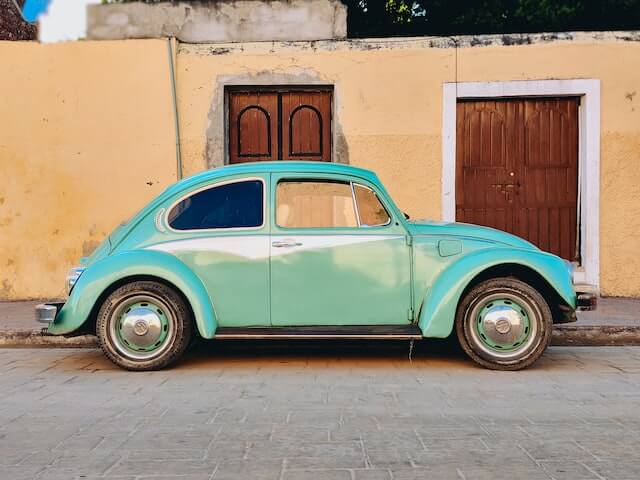
使用处理器准备输入数据。处理器结合了一个图像处理器,它通过调整大小和归一化来准备图像,以及一个分词器,它处理文本输入。
In [ ]:
candidate_labels = ["tree", "car", "bike", "cat"]
# 使用管道提示模板以获得相同的结果
candidate_labels = [f'This is a photo of {label}.' for label in candidate_labels]
inputs = processor(images=image, text=candidate_labels, return_tensors="pt", padding=True)
将输入数据传递给模型,并处理结果:
In [ ]:
import torch

with torch.no_grad():
    outputs = model(**inputs)

logits = outputs.logits_per_image[0]
probs = logits.softmax(dim=-1).numpy()
scores = probs.tolist()

result = [
    {"score": score, "label": candidate_label}
    for score, candidate_label in sorted(zip(probs, candidate_labels), key=lambda x: -x[0])
]

result